
Download Sticker Maker AI – Free AI‑Powered Animated Sticker Creator for WhatsApp
Overview
Sticker Maker AI is a modern web‑based tool that brings artificial‑intelligence creativity to the everyday WhatsApp conversation. By simply typing a short description or uploading a still image, the platform generates a lively animated sticker in a matter of seconds, eliminating the need for any graphic‑design background. The interface is deliberately clean: a full‑screen canvas, intuitive sliders for animation speed, loop count and background transparency, and a one‑click “Export to WhatsApp” button that sends the finished WebP file straight to the WhatsApp sticker picker.
Because the service runs entirely in the cloud, users never have to install bulky programs on Windows, macOS, Android or iOS devices; any modern browser is sufficient. Sticker Maker AI also offers a growing library of pre‑made animated packs that are refreshed weekly, giving users instant access to trending memes, seasonal graphics, and niche collections. Privacy is baked into the architecture – all uploads travel over HTTPS, are encrypted at rest, and are automatically purged after rendering, ensuring that personal images stay personal.
Whether you want to add humor, emphasize a reaction, or brand your business chats, Sticker Maker AI delivers a secure, free, and constantly updated solution that keeps your messages fresh and expressive.
Features, Installation & Usage
- AI‑Generated Animated Stickers: Transform text prompts or static images into fully animated stickers without manual frame‑by‑frame work.
- Vast Sticker Pack Library: Browse hundreds of ready‑made animated packs, refreshed weekly for current trends.
- One‑Click Export to WhatsApp: Directly add stickers to WhatsApp with a single click, eliminating manual file handling.
- Cross‑Platform Web App: Runs on any modern browser, removing the need for Windows, macOS, Android or iOS installations.
- Privacy‑First Design: End‑to‑end encryption and no third‑party tracking keep your creations confidential.
- Customizable Animation Settings: Adjust speed, loop count and background transparency with easy‑to‑use sliders.
- Community Gallery: Publish your stickers for public download, rating and reuse by other users.
- Free Tier with Optional Premium Upgrades: Unlimited creation for free; premium adds higher‑resolution exports and bulk download.
Getting started is straightforward. Open stickermaker.ai in Chrome, Firefox, Edge or Safari. You may use the app as a guest, but registering an account lets you save creations, sync across devices and participate in the community gallery.
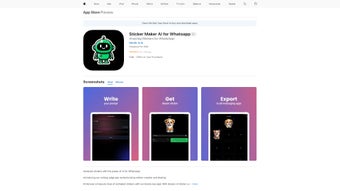
Choose “Prompt‑Based AI” to type a description such as “celebrating puppy” or select “Upload Image” to supply your own picture. The AI renders a preview within seconds; you can then fine‑tune animation speed, loop count and transparency using the right‑hand sliders. When satisfied, click “Export to WhatsApp.” The service packages the sticker as an animated WebP file and automatically opens WhatsApp’s sticker picker, where you confirm the addition.
For those who wish to share their work, the “Publish to Gallery” button lets you add tags, a short description and a license type. Because all processing occurs on Sticker Maker AI’s servers, there is no need to download updates; new AI models and features roll out automatically, keeping the experience fresh without any user intervention.
Compatibility, Pros & Cons, Expert Review & FAQ
Sticker Maker AI is a cloud‑based solution, making it compatible with virtually any operating system that supports a modern web browser. The matrix below summarizes support:
- Windows 10/11: Chrome, Edge, Firefox – full functionality.
- macOS 12+: Safari, Chrome, Firefox – all features work flawlessly.
- Linux: Any recent distro with Chrome, Chromium or Firefox.
- Android 8.0+: Mobile Chrome or Firefox; the export button opens the WhatsApp app directly.
- iOS 13+: Safari or Chrome; requires the WhatsApp mobile app for final sticker placement.
Minimum hardware is modest: a device capable of running a modern browser with JavaScript enabled, at least 2 GB RAM, and a stable 5 Mbps internet connection for optimal AI rendering speed. Heavy processing stays on Sticker Maker AI’s servers, so even low‑end phones and older laptops can generate high‑quality animated stickers without lag.
Pros
- Instant AI‑driven sticker creation – no design expertise required.
- Generous free tier; premium upgrades are optional and reasonably priced.
- Weekly refreshed sticker packs keep conversations current.
- Web‑only approach eliminates installation and ensures cross‑platform access.
- Strong privacy stance with end‑to‑end encryption and no data resale.
Cons
- Requires an internet connection; offline creation is not possible.
- Advanced frame‑by‑frame editing is unavailable.
- Export format limited to animated WebP; no PNG or GIF options yet.
- Higher‑resolution and bulk‑export features are behind a paywall.
Sticker Maker AI delivers a remarkable blend of creativity and convenience. The AI engine produces lively animated stickers from a simple text prompt, which is a game‑changer for casual users who want to spice up chats without learning complex graphic tools. The web‑only approach means you can hop onto any device and start creating instantly. While the lack of offline capability may bother power users, the free tier is generous enough for everyday use, and the premium upgrades feel reasonably priced for the added resolution and bulk export features. Overall, Sticker Maker AI earns a solid 4.5 out of 5 for its innovative approach, ease of use, and commitment to privacy.
Frequently Asked Questions
Is Sticker Maker AI completely free?
The core sticker creation features are free with no hidden charges. A premium subscription unlocks higher‑resolution exports, bulk download options and priority AI processing, but the free tier covers most casual users.
Do I need to install any software?
No. Sticker Maker AI runs entirely in the browser. All you need is a modern browser with JavaScript enabled and an internet connection.
Can I use the tool on my iPhone or iPad?
Absolutely. Open Safari or Chrome on iOS, visit the site, create your sticker, and tap “Export to WhatsApp.” The sticker will appear directly in the WhatsApp sticker picker.
How does Sticker Maker AI protect my privacy?
All uploads and generated stickers are processed over an encrypted HTTPS connection and are deleted shortly after rendering. The service does not sell user data and complies with GDPR and other major privacy regulations.
What file format are the exported stickers?
Stickers are exported as animated WebP files, which WhatsApp supports natively on both Android and iOS. Future updates may add PNG or GIF options based on community demand.
Conclusion – Bring Your Conversations to Life
Sticker Maker AI has set a new benchmark for personalizing digital chats. By merging AI‑driven animation with a frictionless web interface, the platform empowers anyone to craft eye‑catching stickers in seconds and share them instantly on WhatsApp. Whether you’re a meme enthusiast, a brand seeking engaging content, or simply someone who wants to add a splash of personality to daily conversations, Sticker Maker AI offers a secure, free and constantly evolving solution. Don’t let your messages stay static—download Sticker Maker AI today and start turning your ideas into animated stickers that stand out in every chat.



.png)



